

Documentation StateLens
StateLens
On this page
StateLens is a browser tool for reading an event-sourced store — one Memoria wrote, or one any
other framework or your own code wrote. Point it at a database, upload a zip of your own domain
assemblies — with a statelens.json at its root naming the services in it, which types are which,
and where the rows are — and it shows you the events that were appended, the aggregates and
projections snapshotted from them, and the types both were written through.
It is not a sample application and not a package. It ships as a container image, and you run it yourself — see Deployment.
It is not open source. The Memoria framework packages are Apache 2.0 and always will be; the
tool is a commercial product under the
StateLens Licence. Running it is free over a
single service — one entry in the
services list of an installed statelens.json. Reading more than one at a time needs a
paid edition, named in the Edition setting — see
Editions. There is no licence key and nothing to
activate: the tool counts the services itself, refuses an upload past the ceiling, and Settings
shows the count.
There is also a hosted instance at demo.statelens.dev, if you would rather try it than build it. It is behind its sign-in, so access is by invitation: ask for one through the contact form and I will send you one.
- Configuration — the connection string, the provider, the manifest's domain and store blocks, where uploads are kept
- Deployment — running the image, hosting it, and what has to be true of the host
- Try it with sample data — a store filled in a couple of minutes, with no domain of your own needed
Why it needs your assemblies
An event store holds serialised payloads under type names — OrderPlaced at version 1, an
aggregate stored as order. The names are names; the shapes they name live in your assemblies.
Without them the tool could list rows and nothing else: it could not say what an event carries,
fold a stream into an aggregate, or work out which snapshots a boundary should hold.
So the tool has no reference to any domain at all, and no notion of any framework's either. You upload assemblies on the Settings page with a manifest that says which of their types are the streams, the events, the aggregates and the projections — by name, namespace, interface, attribute or assembly — and how each is named in the store. The tool scans the assemblies by those rules and registers what it finds. A store Memoria wrote is declared the same way as any other: its markers and attributes are what the manifest points at, not something the tool knows. The one thing built in is the dynamic consistency boundary, which is Memoria's own and which a service opts into.
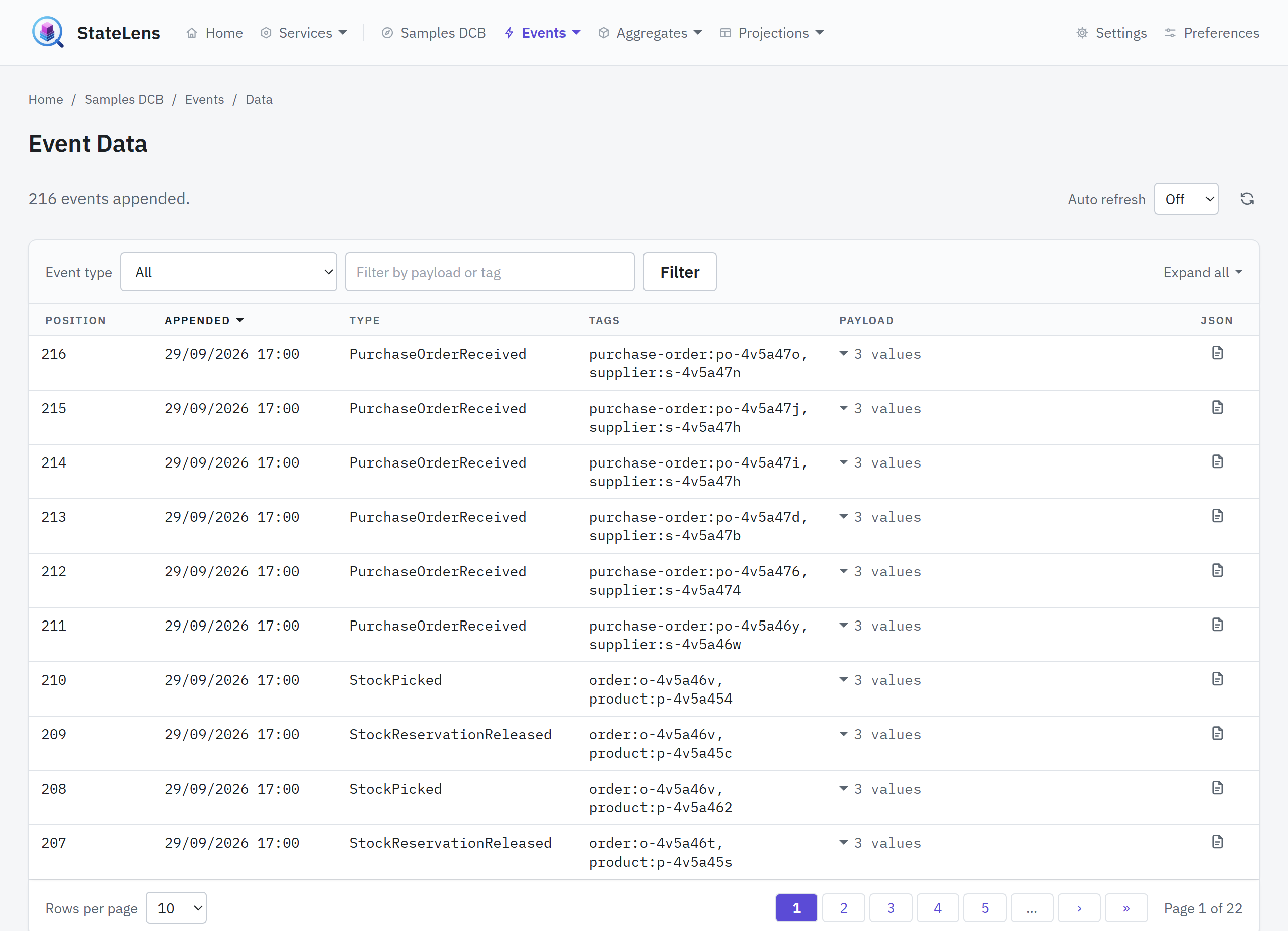
Events are one set — an event is the same event whichever model appends it — so an event both models apply is counted under both.
Which model your domain uses is read off what was registered, and the site is laid out for it. With types under both, the two stand side by side: the home page in two columns, a Streamed and a DCB heading on the bar, and every breadcrumb passing through its model. With types under one alone there is no choice to make, so its sections take the bar directly — Events, Aggregates, Projections, and for the streamed model Streams — the home page is that model's tiles alone, and a breadcrumb runs straight from Home to the section. Nothing registered yet is nothing to narrow to, and both stay until an upload says which.
The assemblies are read from bytes rather than from their path, and the registrations are rebuilt from scratch on every upload, removal and refresh. Nothing restarts, and a type you removed from a rebuilt assembly stops being offered rather than lingering from the previous load.
Every zip carries a manifest, statelens.json, declaring the services in it — each a name, the
assembly files its domain types are read from, the name of the connection string it is read over,
what its domain is, where its store is, and who may read it. Only the assemblies a service names
are scanned; the rest of the zip is loaded as dependencies and registers nothing. A zip without a
manifest is refused. See What to put in a zip.
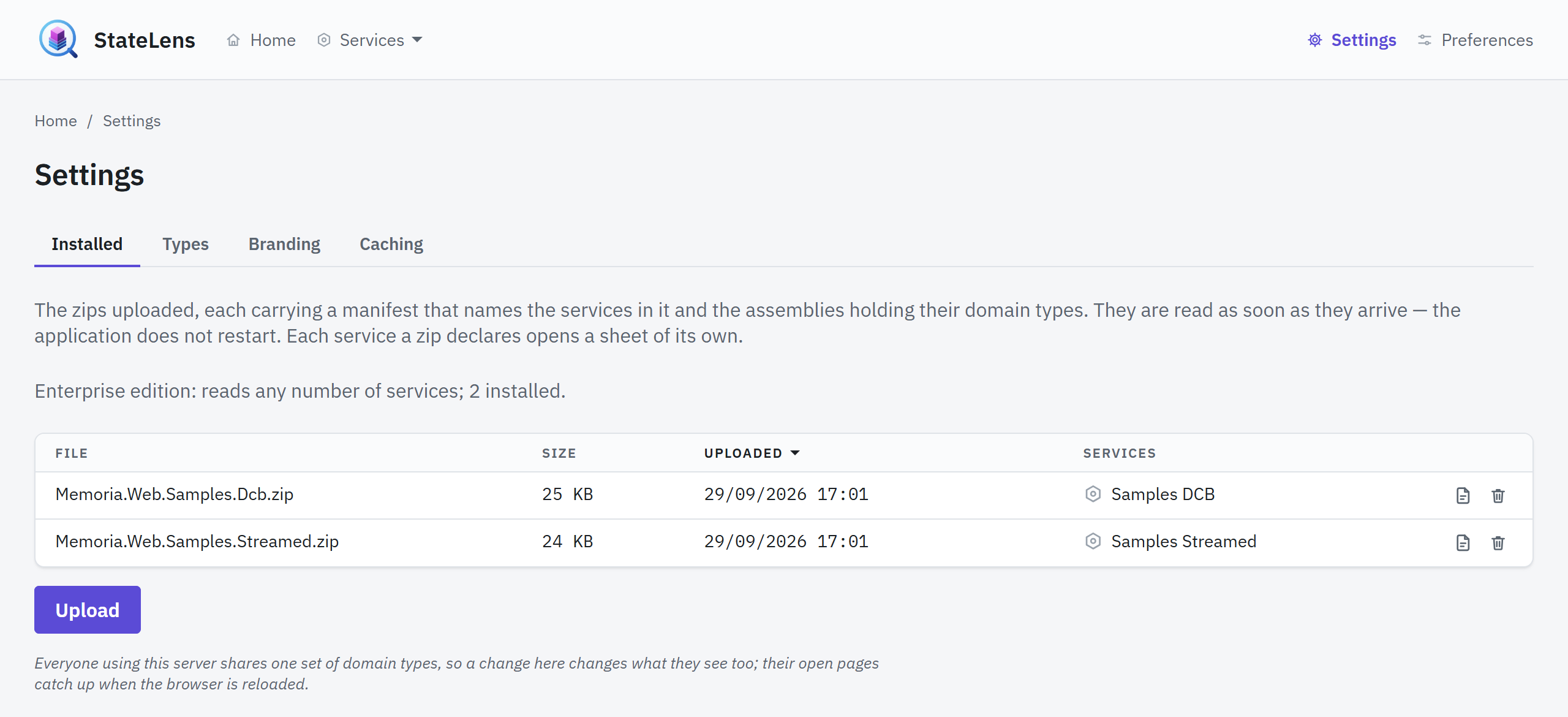
The Settings page, in the admin area under the operator's menu at /admin/settings, lists what each
archive declares: the file, its size and upload time, and each service on a line of its own. It
was /settings before 1.1.0, and that address still sends a bookmark on to the new one. Its Types tab counts what was registered and, above the counts,
lists what the last reload could not do — a file that would not load, types that would not, a name
two types claim — so a count is never read as complete when it is not; a service's sheet repeats
the lines that concern it. A service opens a sheet over the table, read two ways. Info is
the address it is browsed under, the connection string it reads over and whether that is
configured, whether the store it opens answers — how long a round trip took, asked each time the
sheet is opened, or why it could not be reached — when its last event was written, what its
manifest declared of its domain and its store, in words — which table or SELECT the events and
the snapshots come from, which types play which part, how they are named, folded and read back,
whether the boundary pages are on — and who may read it. Types is its assemblies with the domain types
registered from each; a file that registered nothing says so on a line of its own, which is the
case worth noticing: an assembly that did not load, or one built against another Memoria. A zip
already there without a manifest is listed, marked No manifest, and its row says why.
The Branding tab chooses the header's name and logo, each StateLens's own, your own, or none at all. They are kept in files beside the uploads rather than in any store — see Branding.
A type carrying [Obsolete] is marked as such wherever it is named, and says the attribute's own
message wherever it is opened. Retired is not the same as old: a type with a later version beside it
is old and the version says so; a retired type is one nothing should write through any more, and the
attribute is the only place the domain says that.
What it shows
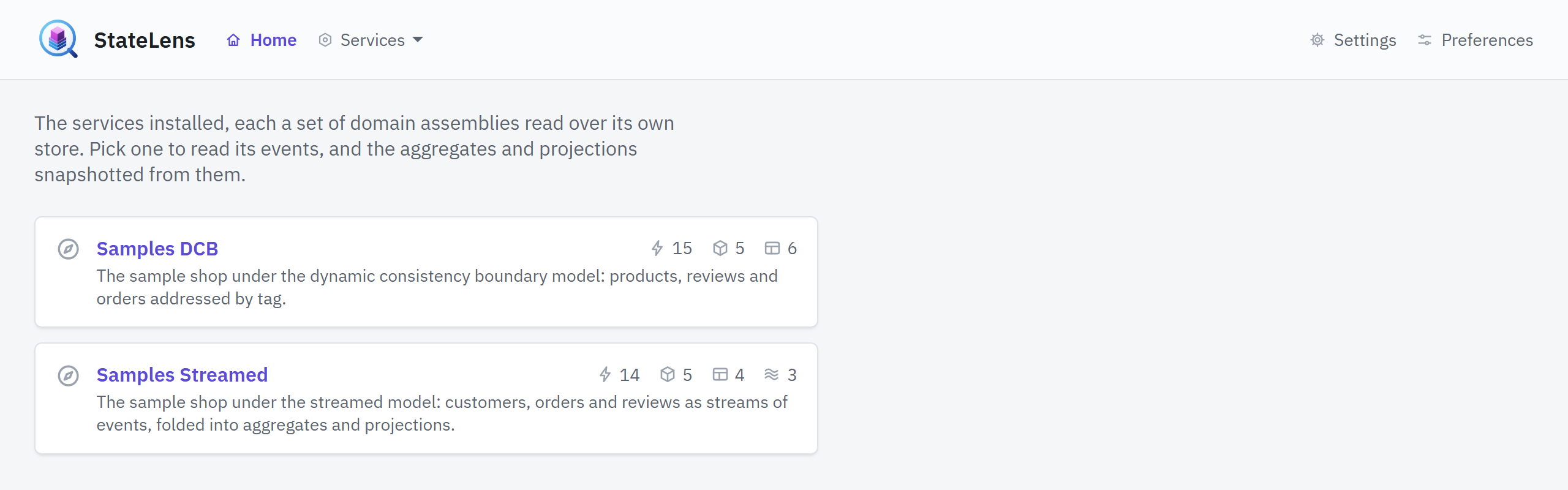
The home page lists the services installed — each a named set of domain assemblies, declared by
the manifest in the zip that brought it — and each is browsed under its own name: a service called
orders lives at /orders, its streamed events at /orders/streamed/events, and so on. A name no
manifest declares is not found, and so is an address under no service at all. Inside a service the
bar carries Home, the service's name, and the menus over its models; outside one, Home and Settings.
The way in is tiles all the way down — Home, a service's own page, each model's overview, each section — and a tile leads to a section rather than reporting on it: none of them asks a store anything, so none of them waits on one. What is counted is counted where the rows are read: a Data page's total, and the total over a detail page's Events tab, each kept for thirty seconds unless an Administrator says otherwise. A streamed event's own page says, beside its sequence, whether it is the latest in its stream or how many events were appended after it.
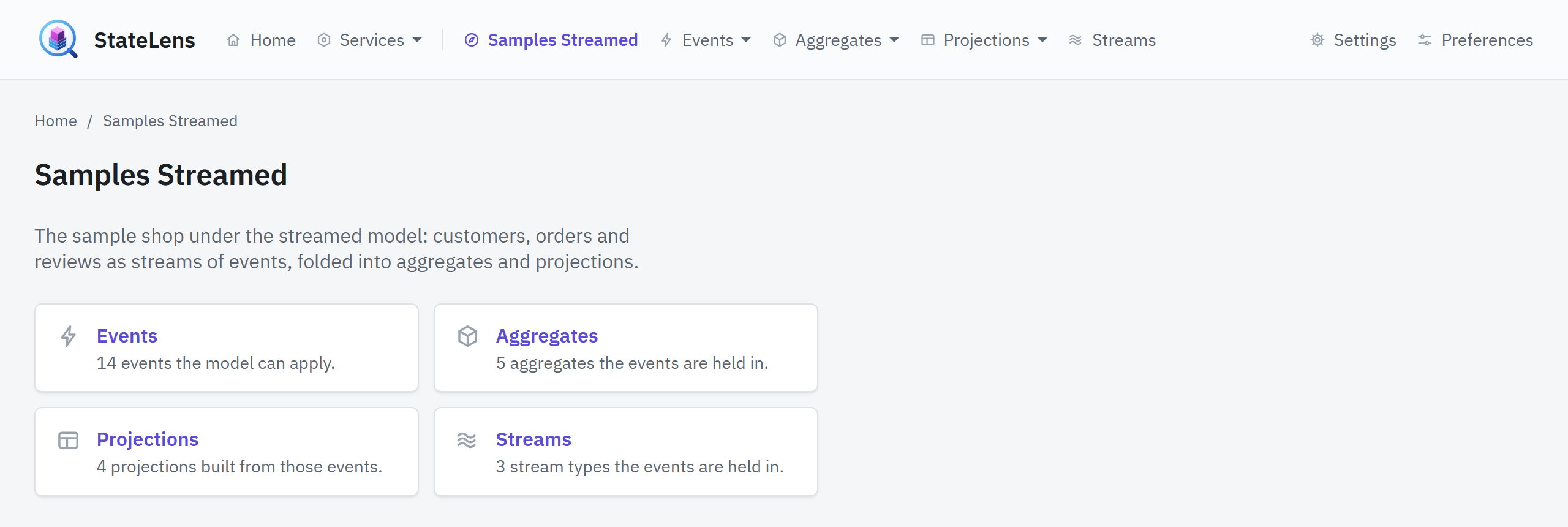
A service's own page sets the two consistency models side by side when it registered types under both, and lays the one model out directly when it registered types under one alone. Each model is laid out the same way:
- Overview — what is registered under that model, counted per section
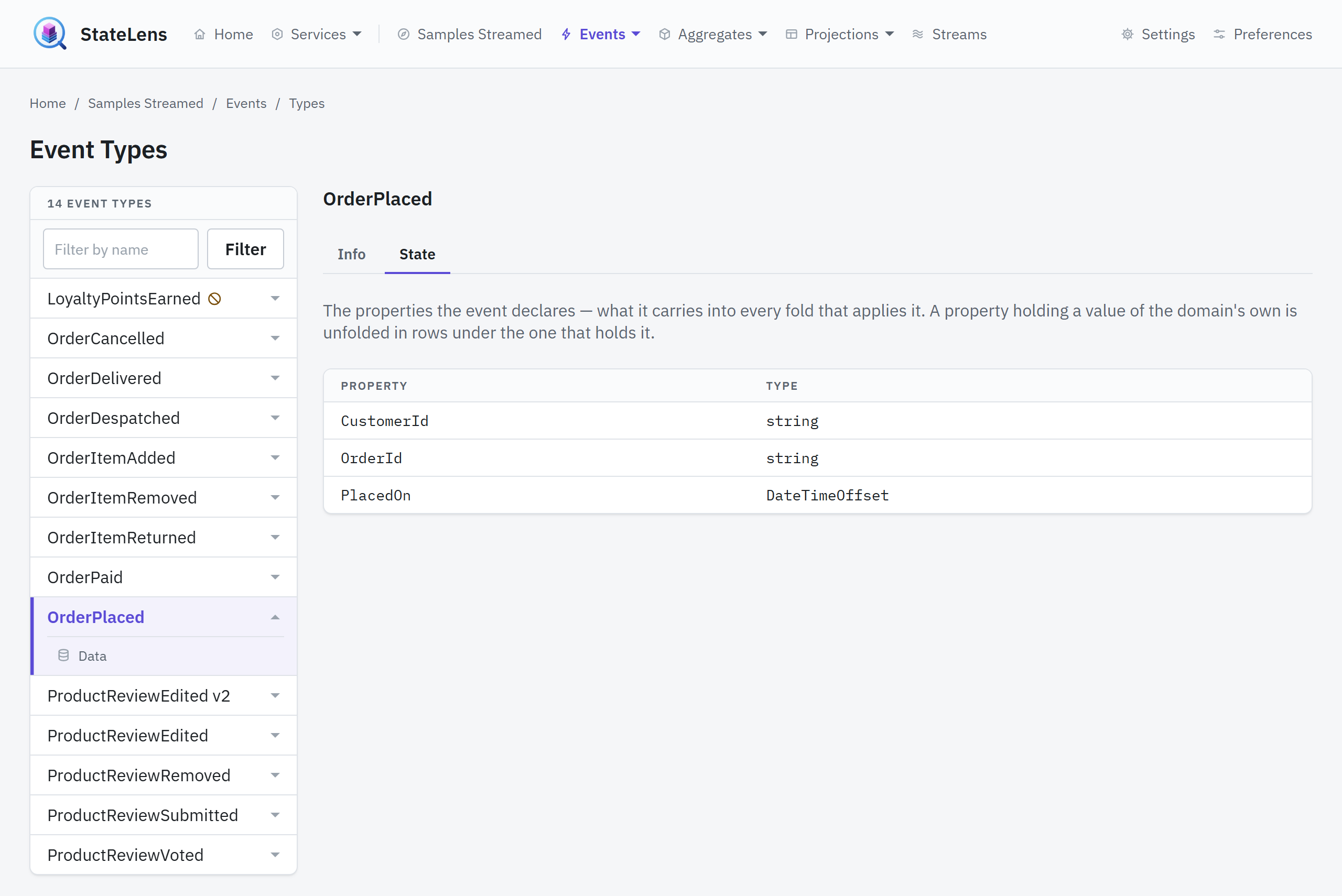
- Events, Aggregates, Projections (and Streams, streamed only) — each a section with a Data page (what the store holds) and a Types page (what the uploaded assemblies declare), offered in that order on the section's tiles and in its menu
A Types page reads the registration rather than the store: what each type is bound as, at which version, and the assembly it came out of. Streams has no data page of its own — a stream is a place events are put, not a thing the store keeps a row of — but each stream type's Data tab lists the streams of that kind the store holds, worked out from the events appended under each: how many, how far the numbering has reached, and when the first and the last were written. A row leads to the events data page narrowed to that one stream.
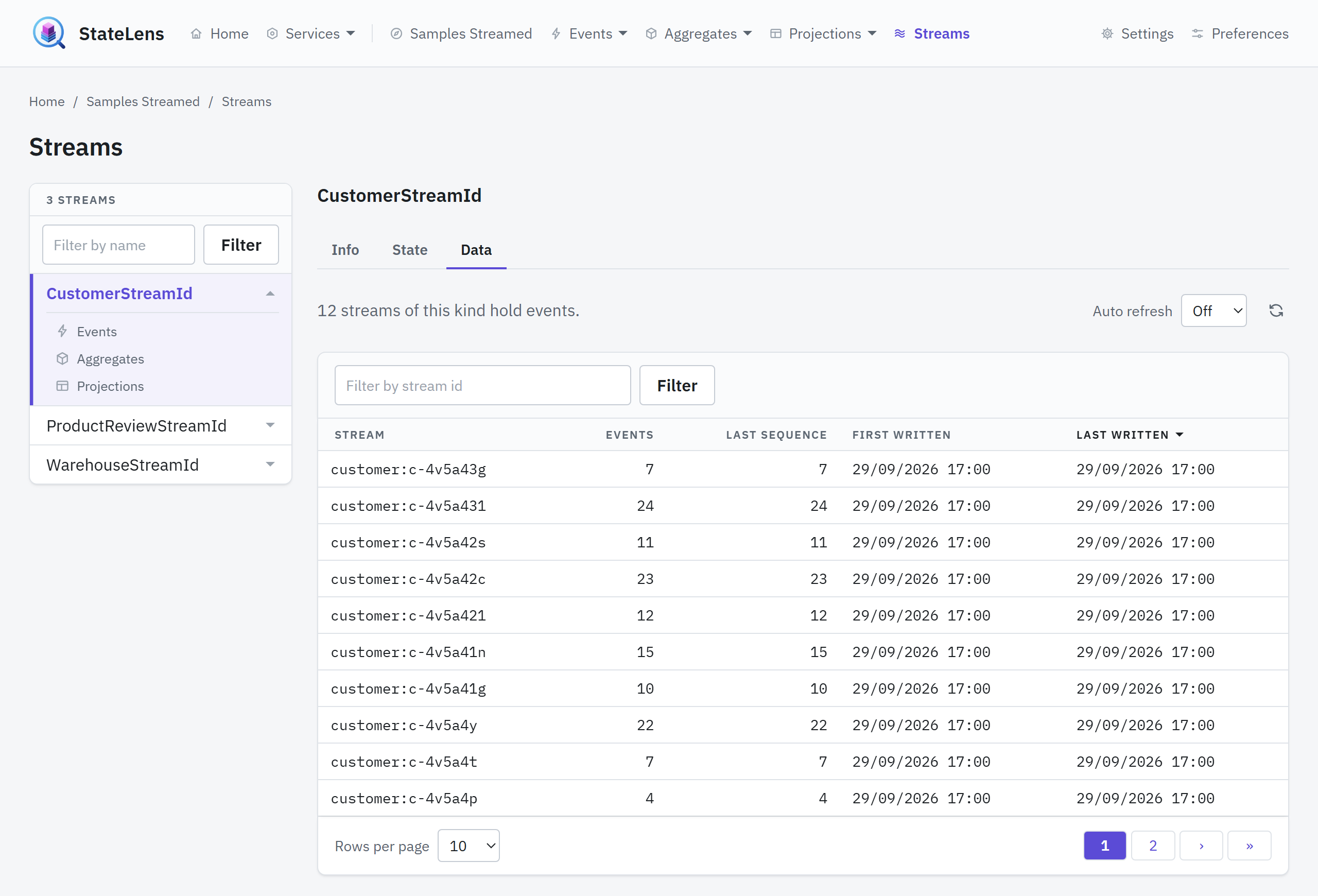
Data pages page, sort and filter, and every piece of that state — the filter, the sort, the page, the page size, which payloads are expanded — travels in the query string, so a view can be bookmarked, shared and stepped back through.
| Page | Narrowed by |
|---|---|
| Streamed → Events → Data | Stream, event type, and text in the payload |
| Streamed → Aggregates → Data | Aggregate type, identifier, and text |
| Streamed → Projections → Data | Projection type, identifier, and text |
| DCB → Events → Data | Event type, and text in the payload or in a tag |
| DCB → Aggregates → Data | Aggregate type, identifier, and text in a tag |
| DCB → Projections → Data | Projection type, identifier, and text in a tag |
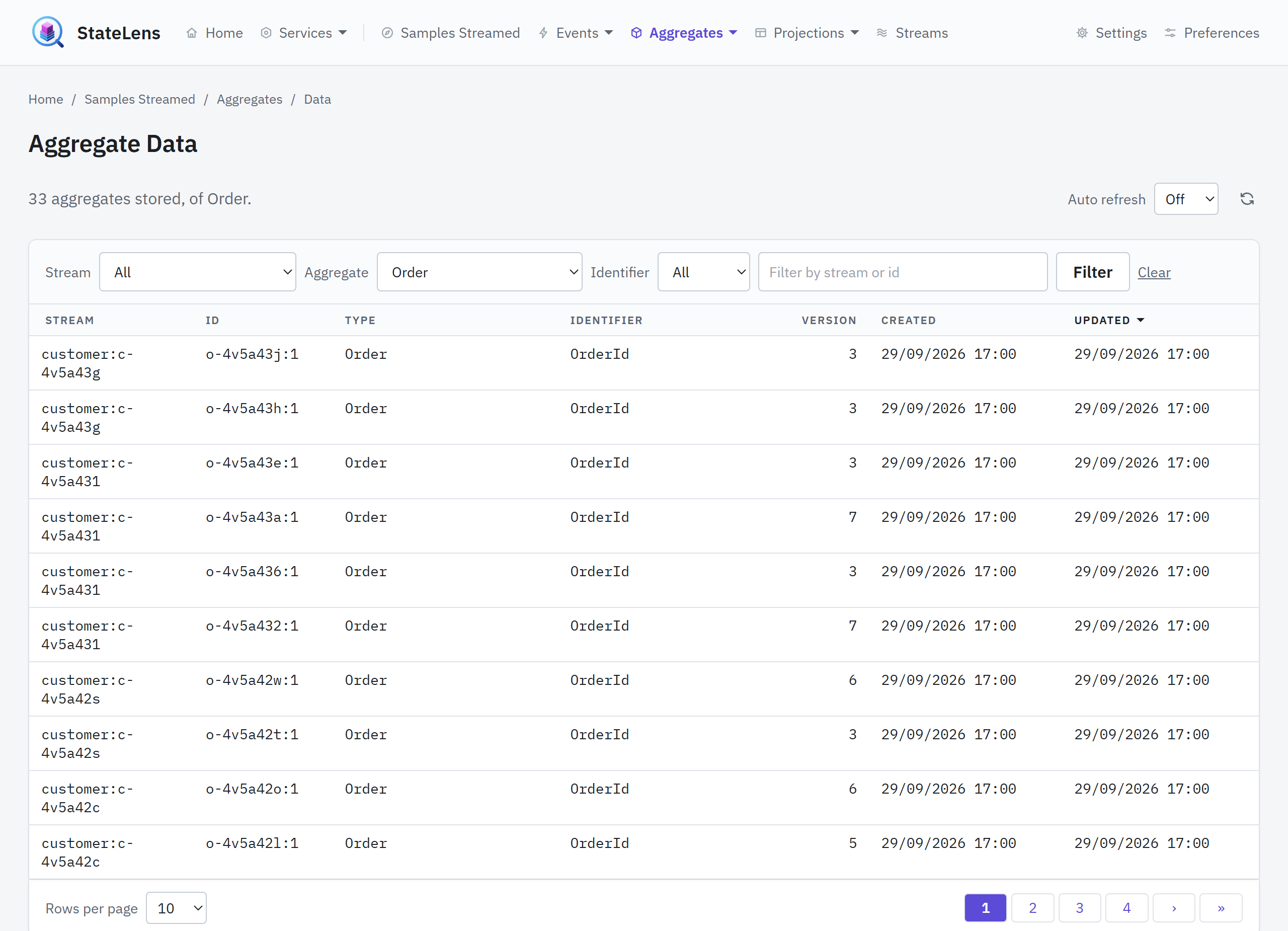
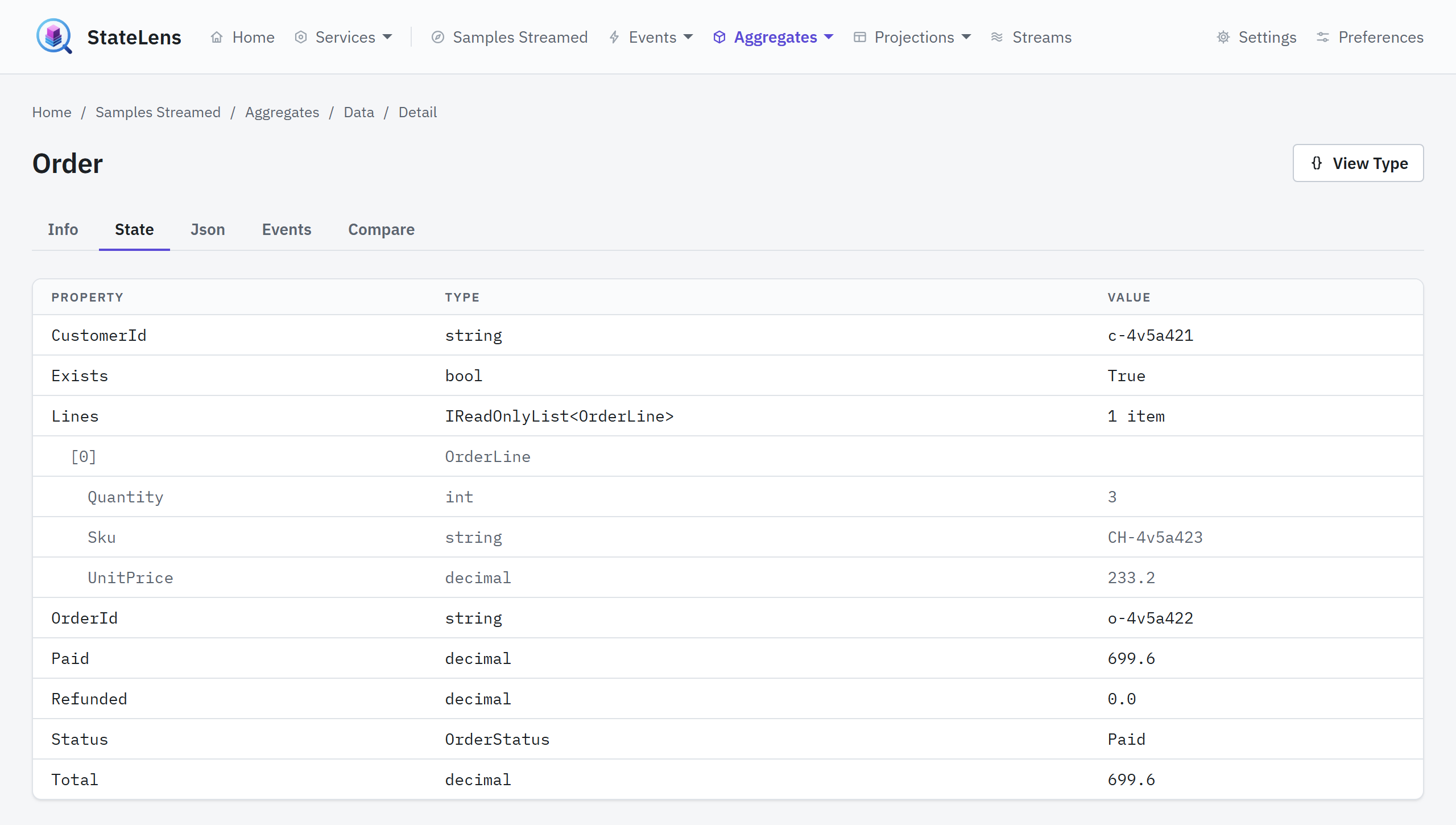
Opening a row reaches a detail page with five tabs: Info (how the row is identified and where its snapshot stands), State (the model folded), Json (the stored payload itself), Events (what it applied, or what its boundary holds), and Compare (two versions of the model, side by side). Across from the heading, View Type opens the row's declared type over it — the same four views the Types pages show, info, state, events and identifiers — so a stored row can be matched against what its type declares without leaving it. Like every other view here it opens by address, so it can be linked to and the browser's back button closes it.
State and Json show the same payload two ways. State reads it through the model's own
properties; Json shows the text the store holds, laid out one value per line and coloured by kind,
in a box that scrolls once it grows past the screen. It is the row's own text rather than the model
serialised again, so a payload the model cannot read back, or one carrying more than the model
declares, is still there to see — and a payload that is not JSON at all is shown as it is, under a
note saying why it could not be laid out. A Copy button above the box puts the laid-out text on
the clipboard; it appears only where the browser allows the page to write there, which means a
secure context: localhost or HTTPS.
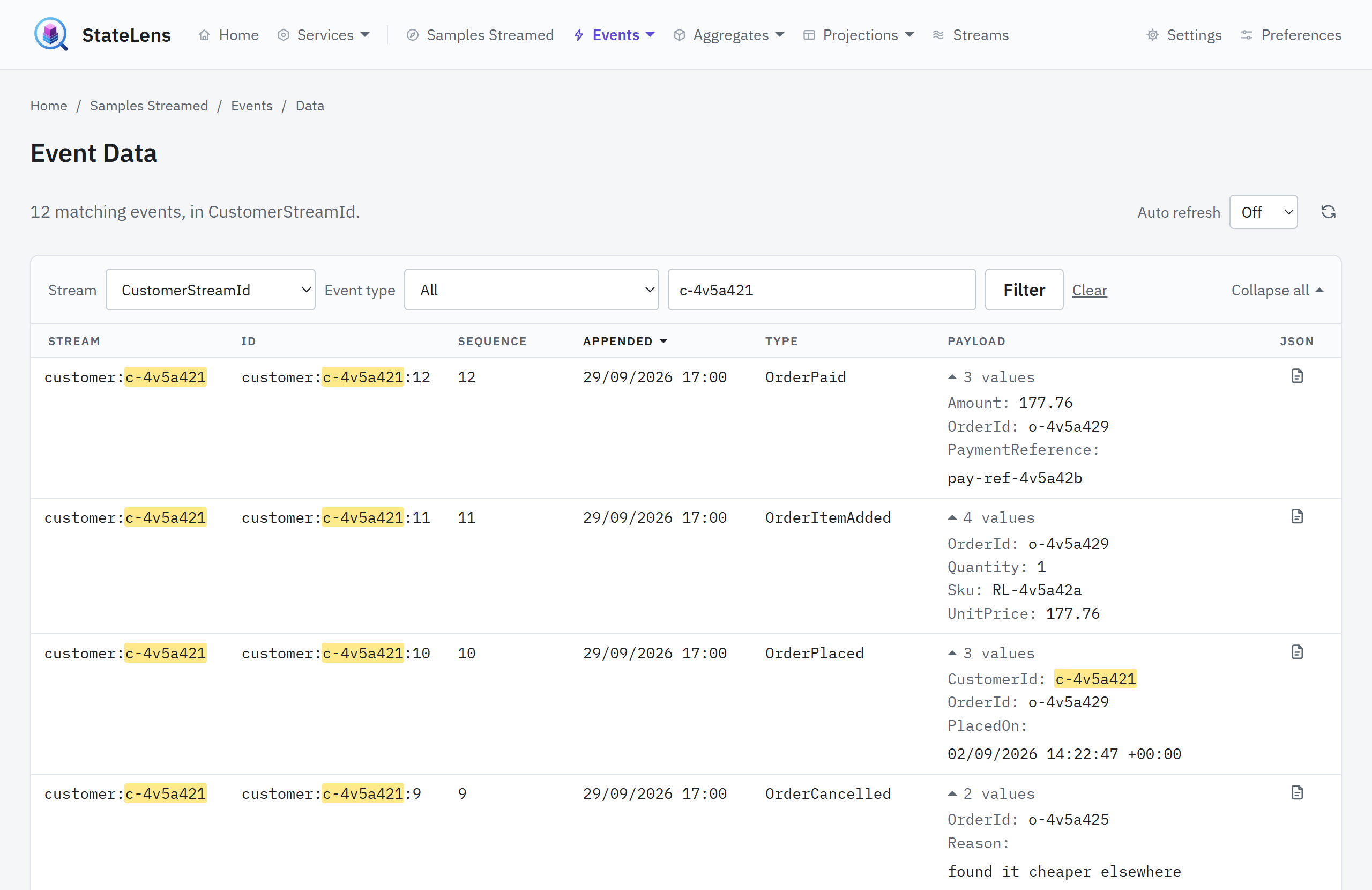
Every table of events offers the same thing per row — the two Events → Data pages and the Events tab of any aggregate or projection. Beside the Payload column, which opens what the row was read into, a Json column opens what the store actually wrote in a pop-up over the table, with the same Copy button. It is a link like every other view here, so it can be bookmarked and is closed by the browser's back button as well as by the sheet's own close.
An event has a detail page of its own too, opened by clicking a row on either Events → Data page, the way a row on the aggregate and projection lists opens. It has the three tabs a model's page opens with and no more: Info (the stream and key, or the tags, the type the row was written under, its sequence or position, and when and by whom it was appended), State (the payload read through the event's own properties), and Json (the stored payload itself). An event has no history to list, nothing to compare and nothing to update, so those tabs are absent rather than empty. Across from the heading, View Type opens the event's declared type over it, in the two views an event has, info and state — and it is there only when an uploaded assembly registers the type the row was written under, since a key nothing claims has no declaration to open. The state tab still says why such a payload will not read back, and the Json tab still shows what was written. Where the store keeps metadata beside a payload — headers, correlation, causation — and the manifest names the column, the Json tab shows it under the payload, as text, for the rows that have any.
On a model's Events tab, every row also starts with a mark saying whether the stored snapshot has applied it: a tick when it has, a clock when it has not yet. The mark is read off the snapshot's own record of the latest sequence or position it folded, so an event at or below that place is in the snapshot and one above it is not — and with no snapshot stored, none is. Text typed into the filter above the table is marked wherever the table matched it.
Info says where the snapshot stands against its history. When the stored version is below the number of events the model is folded from, the version carries the same clock and a sentence saying how far behind it is. Nothing here folds the rest in — the tool writes nothing — but Compare shows what the model would be.
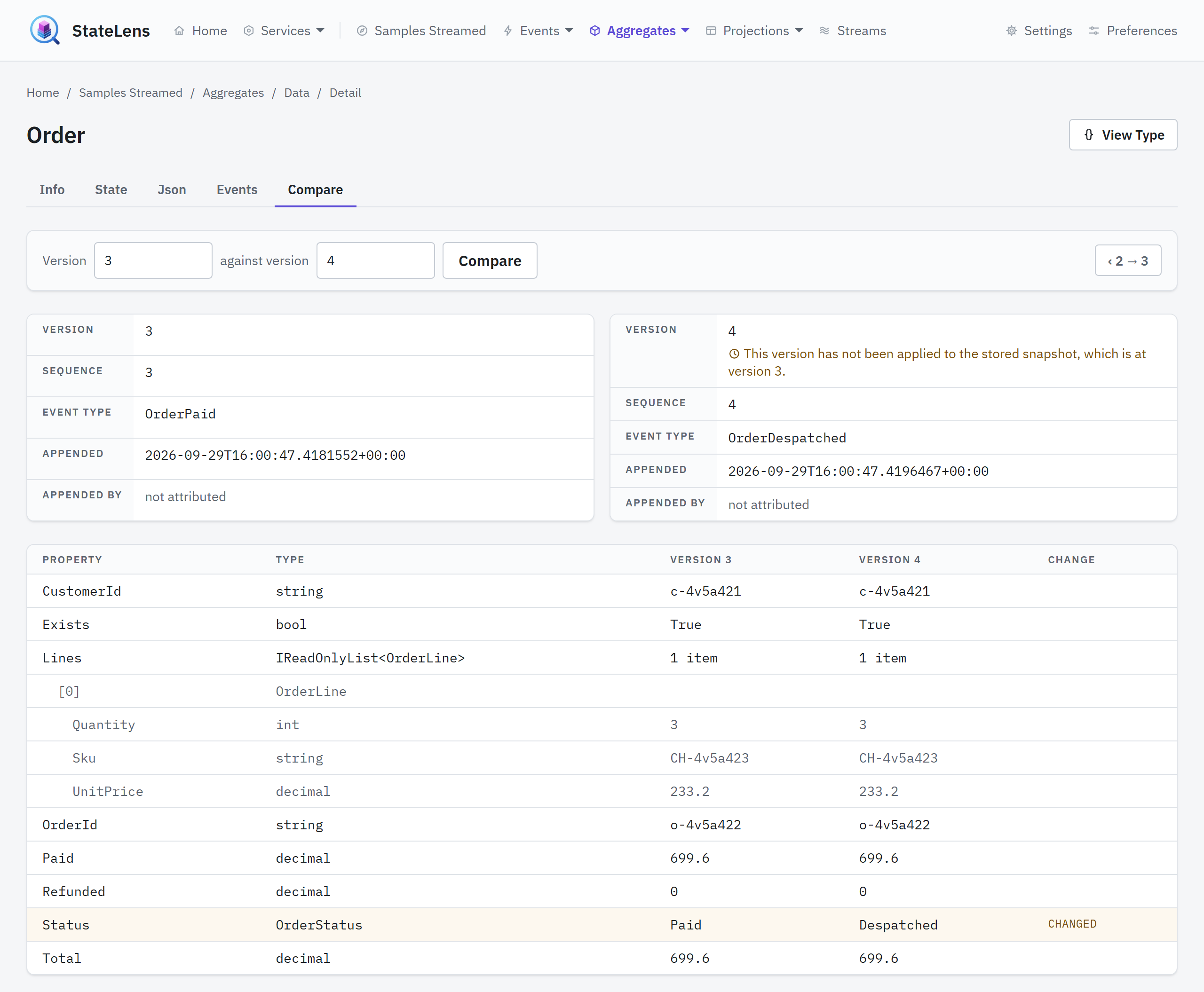
Compare lays two versions of the model over each other. A version is the model's own count of applied events, so it climbs by one down the Events tab where a sequence or a position counts the whole stream or log — and each row's Compare link opens the version that event produced against the one before it, so a history is walked one event at a time. The tab folds the model in memory at each version, through the store's up-to-sequence or up-to-position read, and writes nothing. Two cards say what each version is: the version, the sequence or position it was folded up to, the event that produced it, and when it was appended, as the store holds it. Under them, the State tab's rows with a value from each version and a mark on every row where the two differ — changed, added or removed — nested rows kept aligned by path. A form takes any two versions, bounded by the last, and two links step the pair one version up or down. A compared version the stored snapshot has not reached says so beside its number.
It writes nothing
The tool reads. It never appends an event, never writes or refreshes a snapshot, never deletes a
row, and never creates a database or a table in any store it is pointed at — it opens what is
already there, and a store whose schema is missing is an error the page reports rather than
something it installs. The one file it does write is its own: the accounts, when it is told to
keep them, in a SQLite file under its data directory beside the uploads, which no store ever sees. A snapshot that
has fallen behind its stream is said to be, beside its version, and the compare tab folds the
stream on the page to show what the model would be; nothing is written back. That is what lets the
tool be pointed at a store another framework owns: a database account that can only SELECT is
all it ever needs.
What each store answers
| Engine | Streamed | DCB | Notes |
|---|---|---|---|
| PostgreSQL | ✅ | ✅ | Read through the tables and SELECTs the manifest declares |
| SQL Server | ✅ | ✅ | Likewise |
| SQLite | ✅ | ✅ | Against a file; an in-memory database is refused |
| KurrentDB | ✅ | ❌ | Formerly EventStoreDB; read through the client over an esdb:// or kurrentdb:// string, for a store declared with "kind": "kurrentdb" — see A store in KurrentDB |
| Cosmos DB | ✅ | ❌ | Containers of documents, for a store declared with "kind": "cosmos"; Memoria's own Cosmos layout included — see A store in Cosmos DB |
The streamed pages are answered for any service, whichever framework wrote its rows, by what its
manifest declares. The DCB pages are the one built-in path — Memoria's own boundary tables, read
through the framework's own code — and are offered only to a service whose manifest says
"dcb": true; under any other the DCB addresses answer 404, so a bookmark says the same thing the
menu does.
Everyone shares one catalogue
The catalogue of domain types is one per server, so one person's upload, removal or refresh changes what every user of that server resolves. There is no push: other people's open pages catch up when the browser is reloaded. The Settings page says this under both tabs that can cause it.
Within the catalogue each archive is kept apart. Every archive loads into a load context of its own, where anything the tool carries — Memoria, the serializers, the framework — is the tool's, and the archive supplies the rest. Two archives may carry the same assembly, or two versions of one library, and each service reads its own. The service's sheet lists what the archive carried that the tool carried too, and the two versions when they differ. See Extensions.
Browser preferences — theme, rows per page, whether the ordering note is shown — are the exception. They are stored in the browser and the server is never told.
Back to topAbout
About, linked from the footer, is the page about the tool itself: the version running, the licence and the edition, and the documentation, this page among it, with the release notes the version is looked up in. The version is read off the running assembly, so a deployment shows what was actually built rather than what a file says it should be.
Back to topSecurity
Uploading is running code. An operator who can reach
/admin/settingscan upload a.dllthat this process will load and execute, with no restriction on what it may do. Sign-in decides who can reach it; nothing decides what they may do once they have.
Operators sign in through your OpenID Connect provider, or with accounts the tool keeps. Nothing — no page, no form post — answers anyone who has not, and the tool answers nothing but a page saying so until it is told which, or told in so many words to run open. With its own accounts there is no registration: a setup page makes the first Administrator, and an Administrator makes everyone else. See Configuration for the settings and Deployment for what to register at the provider.
What an operator may do is their role, for each service. A Reader reads a service's pages; an Administrator may also use Settings. A service's manifest names the claim values that read it; the configuration maps claim values to each role for every service. An operator named by neither sees no service — see Roles. Map Administrator only to the people you would give shell access on the host to, and treat it as exactly that. The admin area's Users and Roles pages say whose the accounts and roles are, name the provider, and list what grants each role; they change nothing, since the provider holds the accounts.
Run it open — Authentication:Disabled=true, which is how it is run on your own machine — only
on localhost or behind a proxy that authenticates every request including the form posts. Every
start-up while it is open logs a warning saying so.
Two more things worth knowing before pointing it at anything that matters:
- The connection string is the tool's whole authority. Give it a read-only account: the tool
writes nothing, so an account that can only
SELECTis all it needs, and the guarantee that holds whatever else is configured. - Uploaded archives persist. They are kept on disk under the extensions directory and read again at the next start-up — see Configuration.
Requirements
- A container runtime: the tool ships as an image and nothing else — see Deployment
- A store the tool can read, declared through a manifest: PostgreSQL, SQL Server, SQLite, KurrentDB or Cosmos DB — see What each store answers — with its schema already there, since the tool creates none
- Domain assemblies that load on .NET 10. Anything the tool carries is the tool's — Memoria 2.0.0, the serializers, the framework — and the archive supplies the rest, so an assembly built against another Memoria loads against the tool's; one that cannot load contributes no types, and the Settings page says why — see Everyone shares one catalogue
Related
- StateLens: configuration — settings, manifests and roles
- StateLens: deployment — running it somewhere other than localhost
- Try it with sample data
- Upgrade to 2.0.0 — what changed for uploaded zips and page addresses, on the framework's site